My terminal setup
I spend most of my day in the terminal, and recently a lot of that is in Claude Code, so I figured it was worth making it look and feel a bit nicer. I put the whole setup in a public repo, terminal-setup, so I can get it back on a new machine in about a minute, and so anyone else can grab it too.
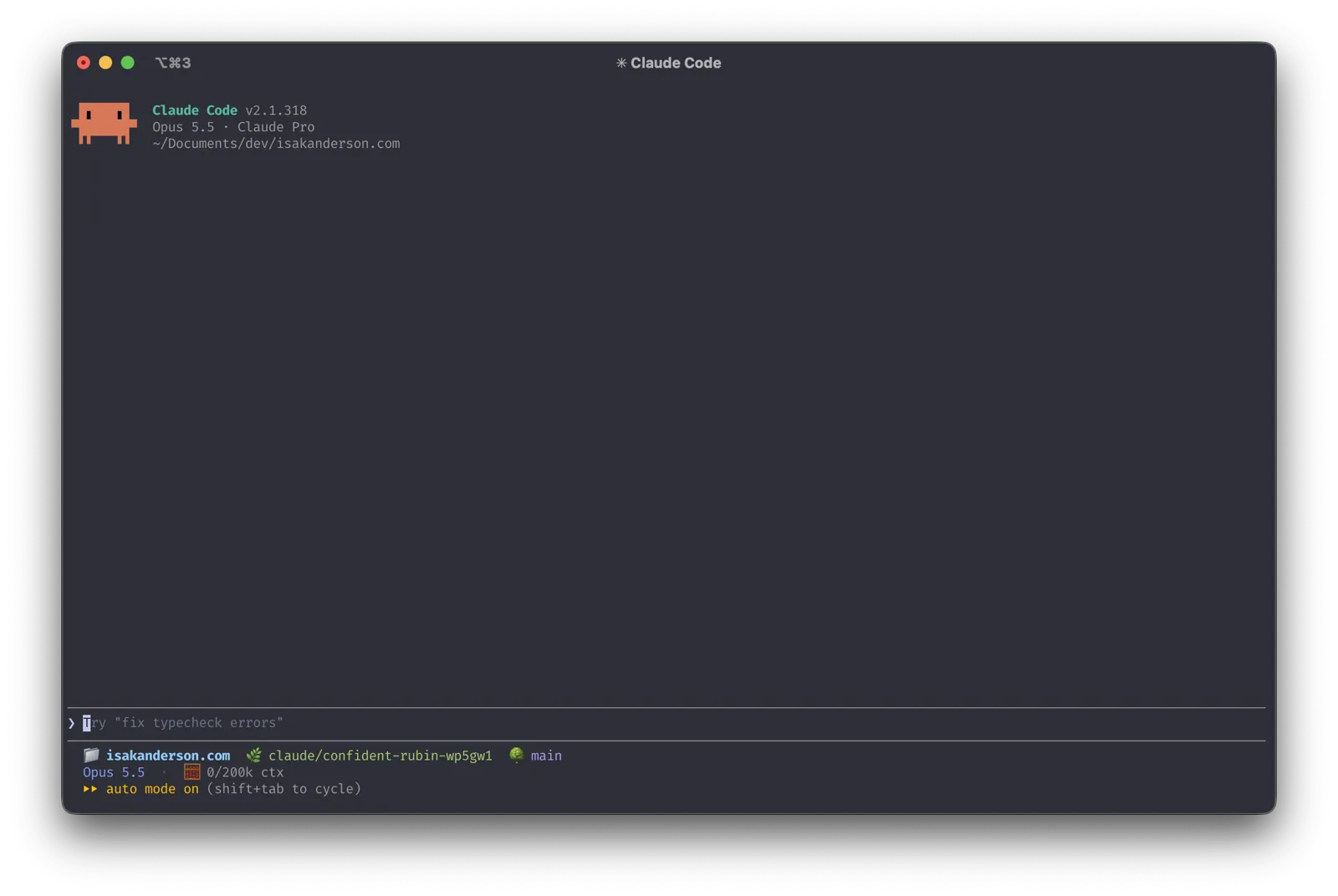
The look
I use iTerm2 on macOS. Here’s what the profile sets:
- Colors - Tokyo Night. Dark, a little blue, and easy on the eyes after a long day.
- Font - FiraCode Nerd Font at 12pt. FiraCode has ligatures, so things like
=>and!==render as single symbols, and the Nerd Font version adds icons that a lot of CLI tools use. - Transparency - about 12%, with background blur. Just enough to see a hint of what’s behind the window without it getting hard to read.
- Cursor - a block that doesn’t blink.
- Window - iTerm2’s Minimal tab style with the scrollbar hidden.
For the prompt I just use Oh My Zsh with its default robbyrussell theme.
The Claude Code status line
This is probably my favorite part. Claude Code lets you run a script that prints a status line under the prompt, so I made mine show the stuff I actually check:
📁 my-project  🌿 main  🌳 main
Opus 5.5  ·  🧮 93k/1M ctx  ·  5h ▓▓░░░░░░░░ 22% ↻12:40PM  ·  7d ░░░░░░░░░░ 7% ↻Tue 11AM
The first line is the project, git branch, and worktree. Worktrees are handy when I have a few Claude sessions going at once, and it’s easy to lose track of which one I’m in.
The second line has the model, how much of the context window is used, and two usage bars for the 5 hour and 7 day limits with when they reset. The bars turn yellow at 70% and red at 90%, so I get a heads up before I run out in the middle of something.
It’s a plain POSIX shell script that reads the JSON Claude Code passes in with jq, so there’s nothing to build or keep running.
Installing it
git clone https://github.com/isakanderson-official/terminal-setup.git
cd terminal-setup
./install.sh
The script installs FiraCode Nerd Font with Homebrew, adds a Tokyo Night profile to iTerm2 as a dynamic profile, turns on the Minimal tab style, and sets up the status line. It edits ~/.claude/settings.json with jq instead of overwriting it, and saves a .bak copy first, so your other settings stay put.
After that, restart iTerm2 and set the profile as your default under Settings > Profiles > Tokyo Night > Other Actions > Set as Default. Restart Claude Code to see the status line.
If you already have a profile you like and just want the colors, you can import iterm2/TokyoNight.itermcolors from Settings > Profiles > Colors > Color Presets > Import.
That’s pretty much it. If you try it out or have tweaks you like, let me know 🙌